
Automatically, the person who added the file will be assigned to the file. However, you can update the assignee or add more people to have multiple assignees.
The assignee(s) will receive updates via email on the file and will receive any notes from the Vetty Operations team about the file.
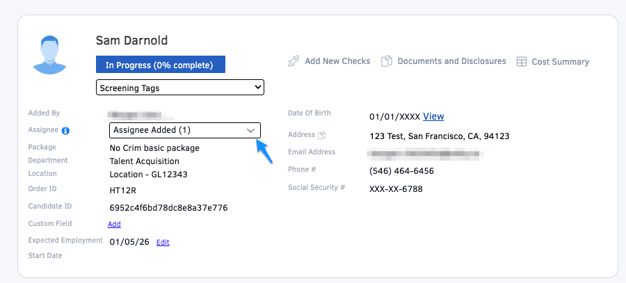
You can use the assignee box on the file to view or update the assignee(s) on the file. Here you can add and remove assignees.
You may also use the checkboxes on the Dashboard to bulk assign files by selecting the files and then clicking “Assign To” and selecting the user(s) to assign.

Note: If the orders are not from the same location and department, the system will not allow you to bulk assign those orders. Please only select orders from the same location & department